DarkRef is now live on the iPad App Store
Download DarkRef free and organize your references right where you sketch, paint, and design, on iPad.
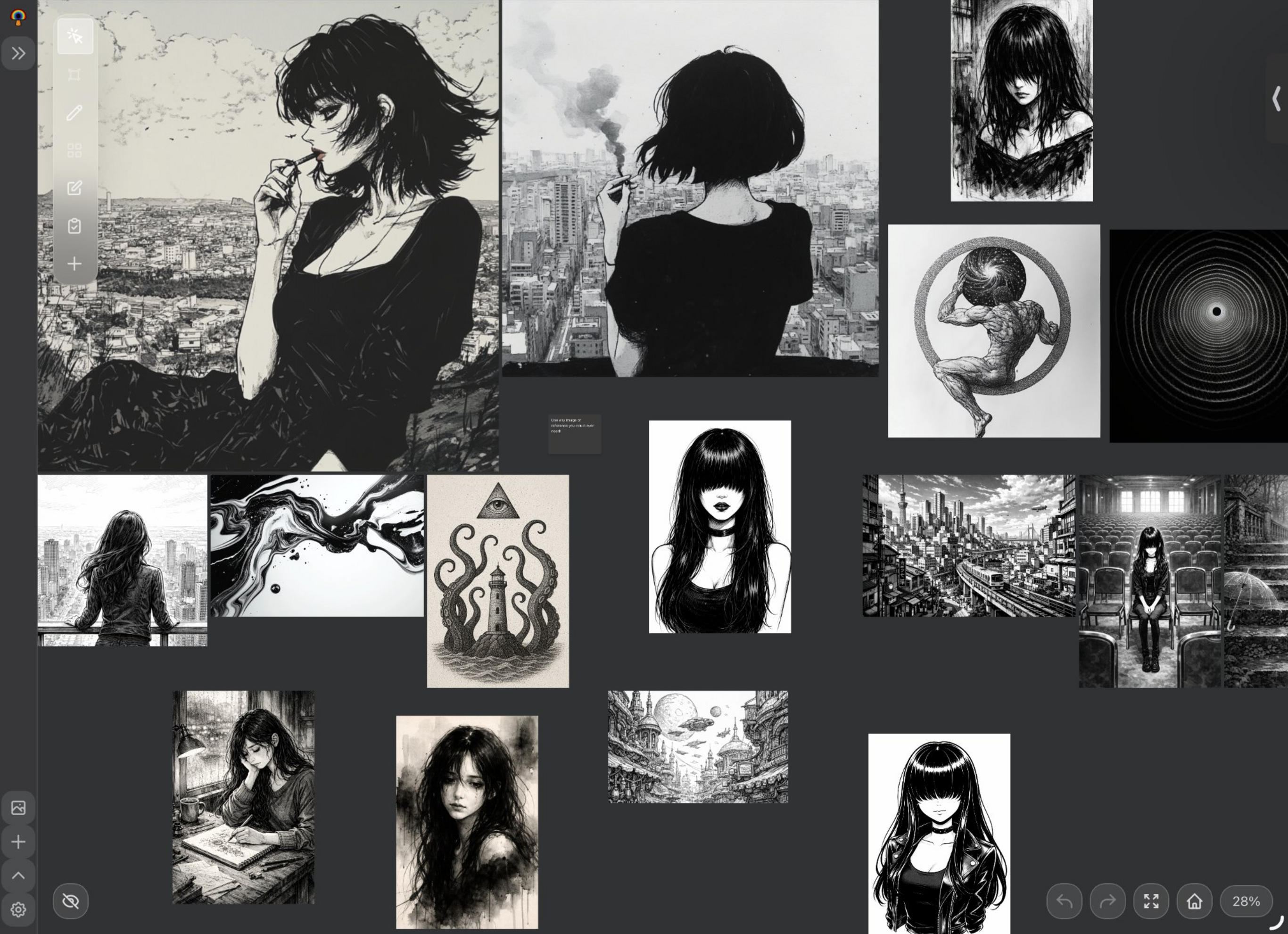
We’re excited to announce that DarkRef is now available on the iPad App Store. Artists can download DarkRef for free and start organizing their references directly on iPad, the device where so many creators sketch, paint, and design every day.
DarkRef is a cross-platform art reference board built for artists who work across multiple devices. With today’s iPad launch, your references travel with you from desktop to tablet.
Why iPad?
iPad has become the go-to device for digital artists. Whether you’re sketching in Procreate, painting in Clip Studio Paint, or modeling concepts on the go, having your reference images right next to your canvas is essential.
Until now, most reference board apps were desktop-only, forcing artists to juggle files between devices or rely on clunky workarounds. DarkRef on iPad changes that. Your entire reference library is available right on your tablet, organized exactly the way you left it on desktop.
What you get with DarkRef on iPad
- Drag and drop images, GIFs, and notes onto your board.
- Organize references into folders and collections.
- Pinch to zoom, pan, and arrange references freely.
- Dark interface designed for artists, no distracting bright UI.
- Start a board on your desktop, pick it up on iPad.
- References sync automatically between iPad, Windows, and MacOS.
- No manual file transfers or export/import needed.
- DarkRef Pro: $1.99/month or $19.99/year.
- All core features are completely free.
- No watermarks, no limits on boards or images.
- Cloud sync is the only paid feature, in DarkRef Pro.
Available on every platform
DarkRef is a cross-platform reference board with native apps for:
- iPad: now live on the App Store.
- iOS (iPhone): same App Store listing, works on iPhone too.
- Windows: available from the DarkRef page.
- MacOS: available from the DarkRef page.
With cloud sync enabled, your references stay in sync across all of these platforms automatically.
Perfect for artists who work across devices
If you’ve ever spent time emailing yourself reference images, AirDropping files back and forth, or recreating boards on each device, DarkRef solves that problem. Here’s a typical workflow:
- Collect references on your desktop while browsing the web.
- Open DarkRef on iPad when you sit down to sketch. Everything is already there.
- Add new references from your iPad camera roll or Safari.
- Back at your desk, all the new references are synced to desktop.
Get started
DarkRef is free to download on all platforms. To get started on iPad:
- Download DarkRef from the App Store.
- Create your first reference board.
- Drag and drop images from your camera roll or other apps.
- Optionally, subscribe to Sync ($1.99/mo) to sync boards across all your devices.
FAQ
Is DarkRef free on iPad?
Yes. DarkRef is free to download and use on iPad. All core features (images, GIFs, notes, folders, and board organization) are completely free. Cloud sync across devices is available with DarkRef Pro ($1.99/month or $19.99/year).
Does DarkRef work on iPhone too?
Yes. The same App Store download works on both iPad and iPhone. Your boards and references sync between all Apple devices and desktop platforms.
Can I sync my references between iPad and my PC?
Yes. With DarkRef Pro, your references automatically sync between iPad, iPhone, Windows, and MacOS. No manual file transfers needed.
What makes DarkRef different from other reference apps?
DarkRef has native apps on iPad, iOS, Windows, and MacOS, with cloud sync in DarkRef Pro across all of them. Most reference tools are desktop-only or web-only. DarkRef gives you a native experience on every platform.
Free to download with all core features. Upgrade to Sync for cloud sync across all your devices.