DarkRef’s biggest update yet: build reference boards together in real time
Live boards, non-destructive image editing, links and video, reimagined sticky notes, and a rebuilt, safer cloud sync. This is the largest release in DarkRef’s history.
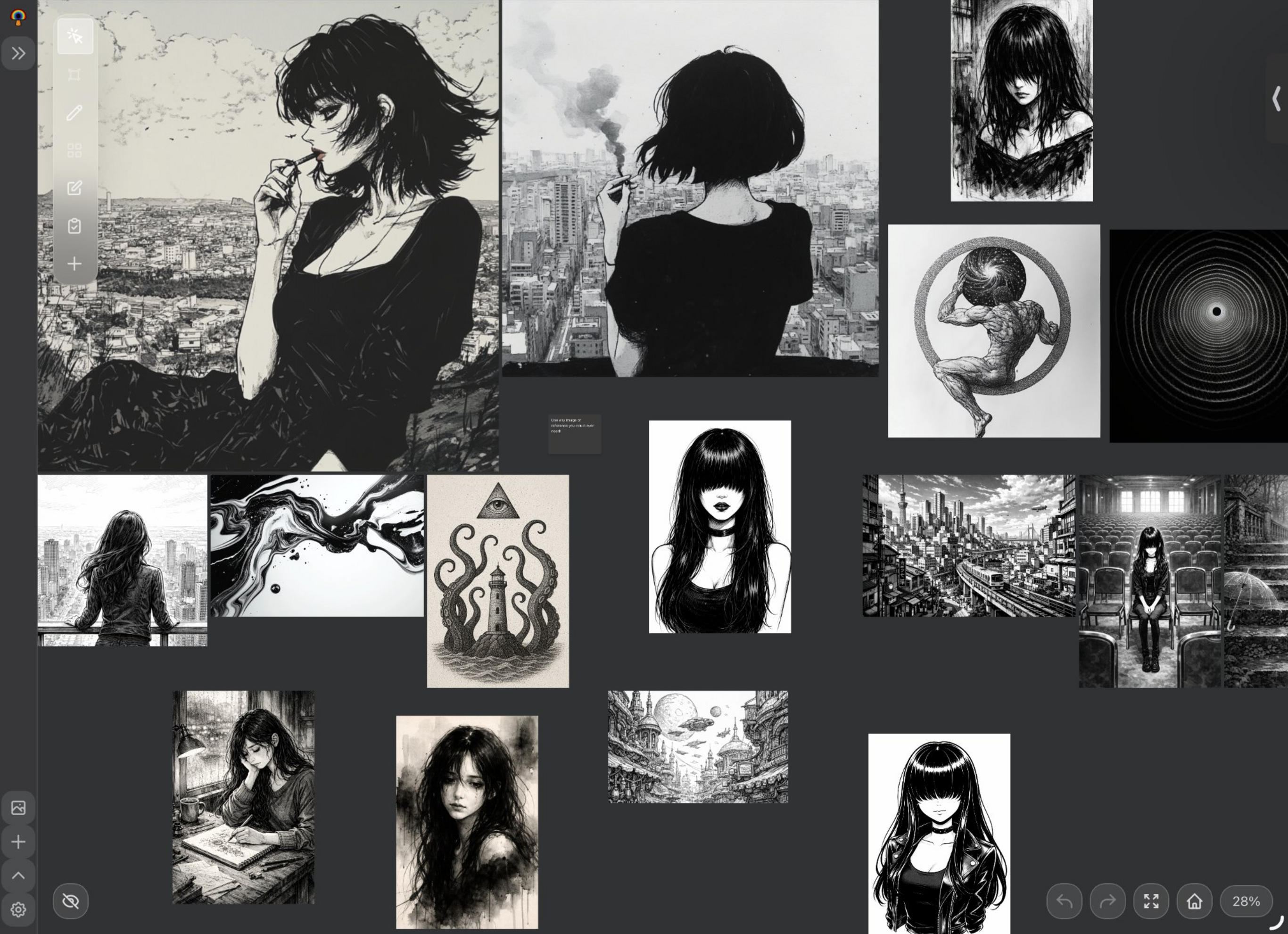
DarkRef has always been about one thing: keeping your visual references organized and available everywhere you work. Today it does far more than that. Our biggest update yet turns DarkRef from a personal reference board into a place where whole teams can think visually together, in real time, while keeping everything that made it great: fast, native, and truly cross-platform across iPhone, iPad, Windows, and MacOS.
Here’s everything that’s new.
Live boards: work together, at the same time
The headline feature of this release is live boards. Work on the same board together, at the same time, from any device, and watch everyone’s cursor move live as they arrange references. It’s the collaborative moodboard experience people have asked us for since day one, built natively into DarkRef rather than bolted onto a browser tab.
- See everyone live: each collaborator’s cursor moves in real time as references are added, resized, and rearranged.
- Invite by email: bring your team onto a board in seconds.
- Roles that make sense: give each person owner, editor, or view-only access.
- Reading and joining are always free. Anyone can open a shared board and follow along at no cost.
Edit images, keep the original
You can now crop, rotate, flip, convert to grayscale, or remove a simple background right inside DarkRef. The important part: every change is non-destructive, so your original file is never altered.
That means the same reference can look one way on one board and another way on the next, and stay pristine in your library. Cropped a character sheet down to just the face for a tight study? The full image is still there, untouched, for the next project. Changed your mind? Reset restores the original in a single tap.
Paste any link, GIF, or video
References aren’t only static images anymore. Drop a web link, GIF, or YouTube video straight onto your canvas:
- Links become clean preview cards, so a page you want to remember doesn’t turn into a wall of raw URLs.
- GIFs keep animating right on the board, perfect for motion and timing references.
- YouTube clips play in place, with custom start and end points so you can loop the exact few seconds that matter.
- Share straight from Safari: share a page or link and it arrives in your references automatically.
Sticky notes, reimagined
Notes grew up. Sticky notes now support rich text, bold, italic, underline, and lists, so you can leave real direction on a board instead of a single line of plain text. Resize notes by hand, choose any color, and fine-tune transparency, font size, and typeface until they sit exactly how you want alongside your references.
Safer cloud sync
Your boards and references are safer than ever. We rebuilt sync from the ground up so your work merges intelligently across every device, with strong safeguards against accidental data loss. Start a board on your iPad at a coffee shop, keep going on your Windows desktop at home, and trust that the two won’t fight each other. Safer cloud sync is part of DarkRef Pro.
And a lot more
Alongside the marquee features, this release is packed with quality-of-life improvements:
- Snap to a grid for tidy, aligned layouts.
- Titles, descriptions, tags, and color palettes now sync across all your devices.
- Drawings attach to images and move together with them.
- Deleting a board keeps its images safe in your library.
- Smoother zooming, plus a faster and cleaner references mosaic.
What’s free and what’s DarkRef Pro
DarkRef stays free to download and use on every platform. Most of what’s new here, image editing, links and video, richer sticky notes, grid snapping, and joining shared boards, is free. The two things that ride on our infrastructure, hosting/editing live boards and cloud sync, are part of the single paid plan, DarkRef Pro.
| Capability | Free | DarkRef Pro |
|---|---|---|
| Images, GIFs, notes, folders & organization | ✅ | ✅ |
| Non-destructive image editing | ✅ | ✅ |
| Paste links, GIFs & YouTube videos | ✅ | ✅ |
| Rich sticky notes & grid snapping | ✅ | ✅ |
| View & join shared live boards | ✅ | ✅ |
| Host & edit live boards in real time | No | ✅ |
| Safer cloud sync across all devices | No | ✅ |
DarkRef Pro is $1.99/month or $19.99/year. See the full breakdown on the DarkRef pricing page.
The only reference board that does all this, everywhere
Plenty of tools let you build a moodboard with other people, but almost all of them make a trade-off DarkRef doesn’t. Web-first whiteboards like Miro, Mural, FigJam, and Canva live in a browser tab and lean toward per-seat pricing. Desktop reference boards like PureRef and Eagle are fast and focused but stay on one machine, with no mobile apps and no real-time collaboration.
DarkRef is the rare tool that is both: a native app on iPhone, iPad, Windows, and MacOS (plus a web app), and a real-time collaborative canvas, at a flat, artist-friendly price. Collect references on your desktop, arrange them together with your team on live boards, and pull the same board up on your iPad while you draw, with everything synced.
If you’re coming from a tool that’s winding down, that’s an even easier move. We recently wrote about where to take your references now that Kosmik is shutting down, and with live boards, DarkRef now covers the collaboration those tools were known for too.
How to get started
- Download DarkRef free: iOS & iPad, Windows, MacOS (App Store), or open the web app.
- Build a board and try the new tools, crop an image, paste a YouTube link, drop in a sticky note.
- Upgrade to DarkRef Pro to host a live board and invite your team by email.
- Turn on cloud sync and pick the same board up on every device.
Thank you for using DarkRef. This is the biggest step forward we’ve taken, and we’d love to hear what you think, tell us what to build next.
FAQ
What is a live board in DarkRef?
A live board is a shared reference board that you and others can work on at the same time, from any device. You see everyone’s cursor move in real time as references are arranged. You invite people by email and assign owner, editor, or view-only access. Reading and joining a board are always free; hosting and editing live boards are part of DarkRef Pro.
Is real-time collaboration free?
Viewing and joining a shared live board is free for everyone. Hosting and editing live boards is part of DarkRef Pro, the single paid plan at $1.99/month or $19.99/year, which also includes safer cloud sync across all your devices.
Does editing an image change my original file?
No. All image editing in DarkRef, crop, rotate, flip, grayscale, and background removal, is non-destructive. Your original file is never altered, the same reference can look different on different boards, and a single tap on Reset restores the original.
Can I add YouTube videos and links to a board?
Yes. You can paste web links, GIFs, and YouTube videos onto the canvas. Links become clean preview cards, GIFs keep animating, and YouTube clips play with custom start and end points. You can also share a page from Safari straight into your references.
What does DarkRef Pro include?
DarkRef Pro is the single paid plan ($1.99/month or $19.99/year). It unlocks hosting and editing of real-time live boards plus rebuilt, safer cloud sync across iPad, iPhone, Windows, and MacOS. Everything else, including image editing, links and video, sticky notes, and joining shared boards, is free.
Which platforms is the update available on?
DarkRef is a native app on iPhone, iPad, Windows, and MacOS, plus a web app, and the update rolls out across all of them. Your boards and references stay in sync across every device with DarkRef Pro.
Download DarkRef free on iOS, iPad, Windows, and MacOS. Upgrade to DarkRef Pro to host live boards and sync across every device.